
Dark Mode Mobile App Authentication UI - Sign Up, Login, Forgot Password & OTP Screens
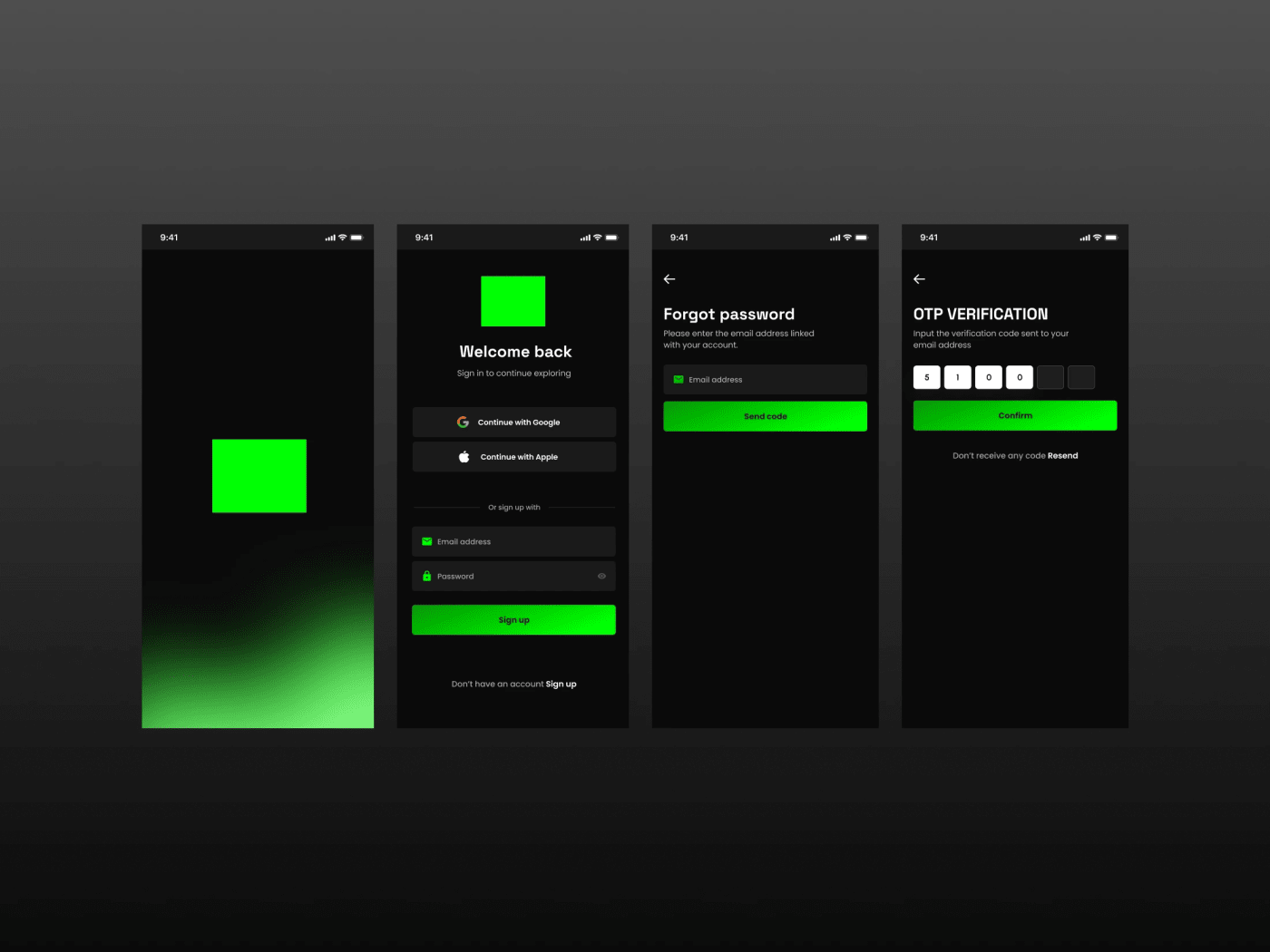
Free dark mode mobile app authentication UI for Figma. Four black and neon-green screens: splash, welcome-back sign in with Google, Apple and email options, forgot password and OTP verification. A ready login flow for fintech, social, music and productivity apps; swap the logo placeholder for your own.
A complete dark mode mobile app authentication UI kit featuring 4 production-ready screens, Splash Screen, Sign Up / Login, Forgot Password, and OTP Verification. Designed for modern mobile apps with a bold neon green accent (#00FF00) on a deep dark background, creating a high-contrast, premium feel that converts.
This free Figma mobile UI kit includes every screen your app's authentication flow needs:
- Splash Screen, animated logo placeholder with neon green glow gradient background
- Sign Up / Login Screen, Google & Apple social login buttons, email + password fields, show/hide password toggle, and a bold CTA button
- Forgot Password Screen, clean single-field email input with a full-width send code button
- OTP Verification Screen - 6-digit code input boxes, confirm button, and resend code link
The design uses dark charcoal backgrounds (#1A1A1A), clean white typography, subtle input field borders, and a consistent neon green primary button style across all screens, ready to swap with your own brand color in seconds using Figma Variables.
Perfect for fintech apps, crypto wallets, fitness apps, SaaS mobile products, or any app that needs a sleek, modern authentication experience out of the box.
Free to download. No login required. Copy the Figma frame and start building your app today.