

Best Free Figma Landing Page Templates in 2026
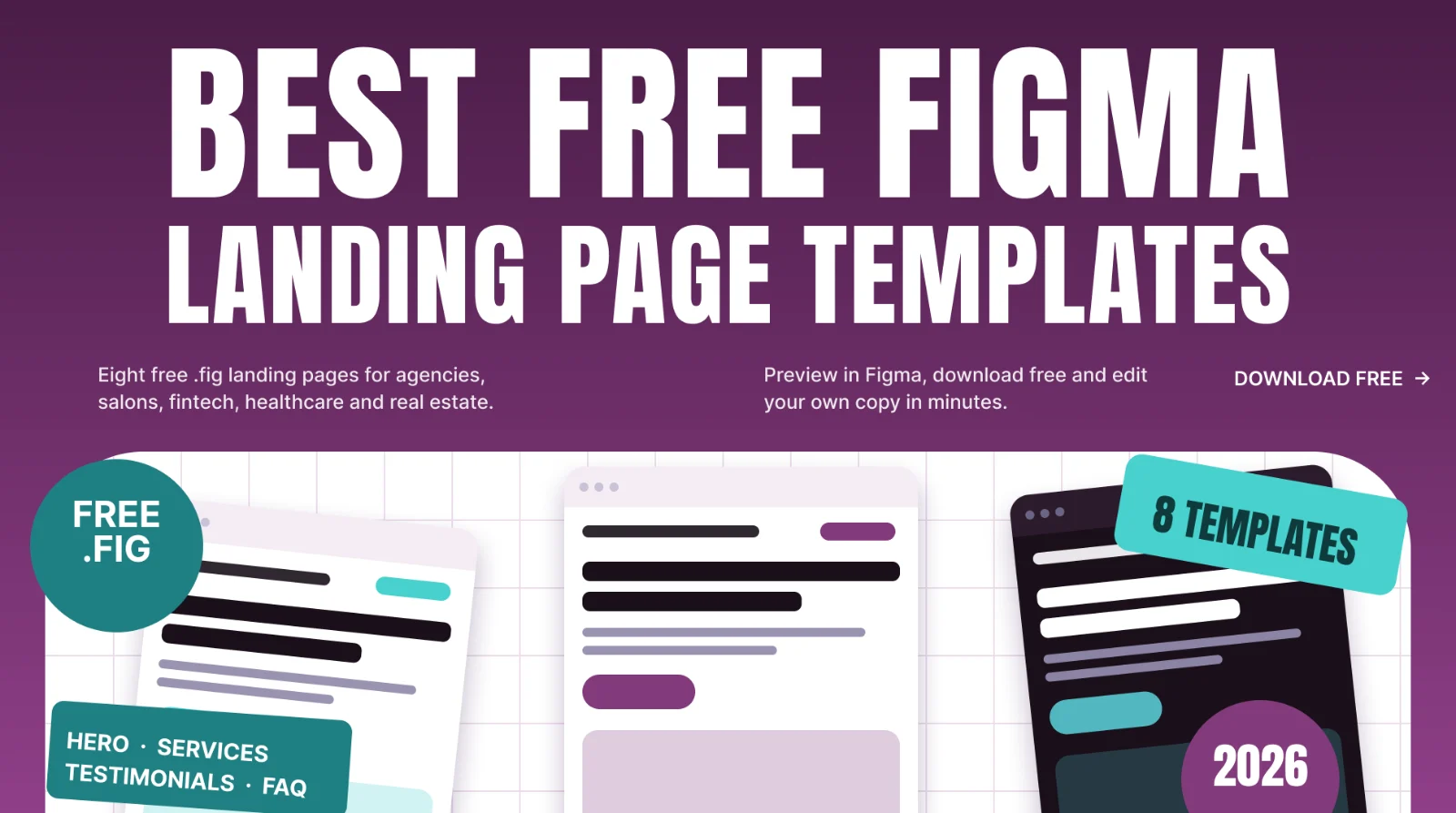
Short answer: the best free Figma landing page template is the one whose structure matches your business. Below are eight free landing page templates you can preview in Figma and download as a .fig file, with who each one suits and what sections it includes.
Last updated: October 11, 2026
In this guide
- How to choose a landing page template
- 8 free Figma landing page templates
- Check the license before you use any free template
- How to customize one quickly
- FAQ
How to choose a landing page template
A template saves hours, but only if it fits the job. Before you download anything, check four things:
- The goal of the page. Booking, enquiries, sign-ups and downloads need different layouts. Look for a clear primary button in the hero.
- The sections included. A strong landing page usually has a hero, services or features, proof (testimonials), a FAQ and a closing call to action. See which of these the template already has.
- The industry feel. A beauty salon and a fintech product need different colors, type and imagery. Picking the right mood saves redesign time.
- How easy it is to edit. Open the Figma preview and check that sections are clearly separated and easy to rearrange.
If you are new to .fig files, read how to open and import a .fig file in Figma first.
8 free Figma landing page templates
1. Real estate and property marketing agency landing page
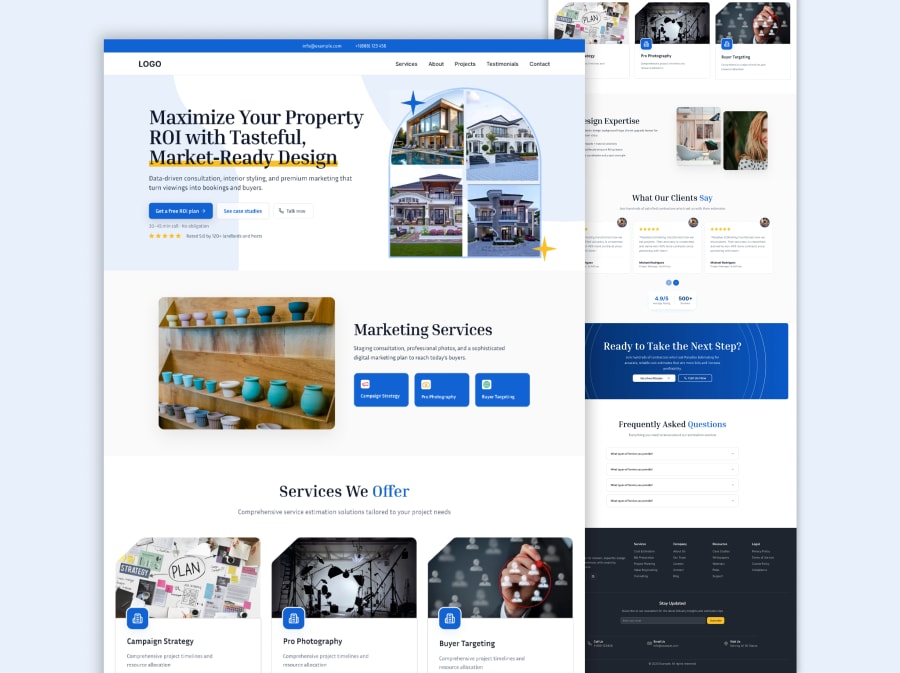
A blue and white full-page layout that opens with a hero (an arch-shaped property image collage with a free-ROI-plan button and a case-study button). It continues with service cards for campaign strategy, professional photography and buyer targeting, a design-expertise block, client testimonials, a call-to-action band, an FAQ and a dark footer. Best for: property marketers, staging and photography studios, and agencies that work with sellers and landlords.
View the real estate landing page template
2. Dark media agency landing page
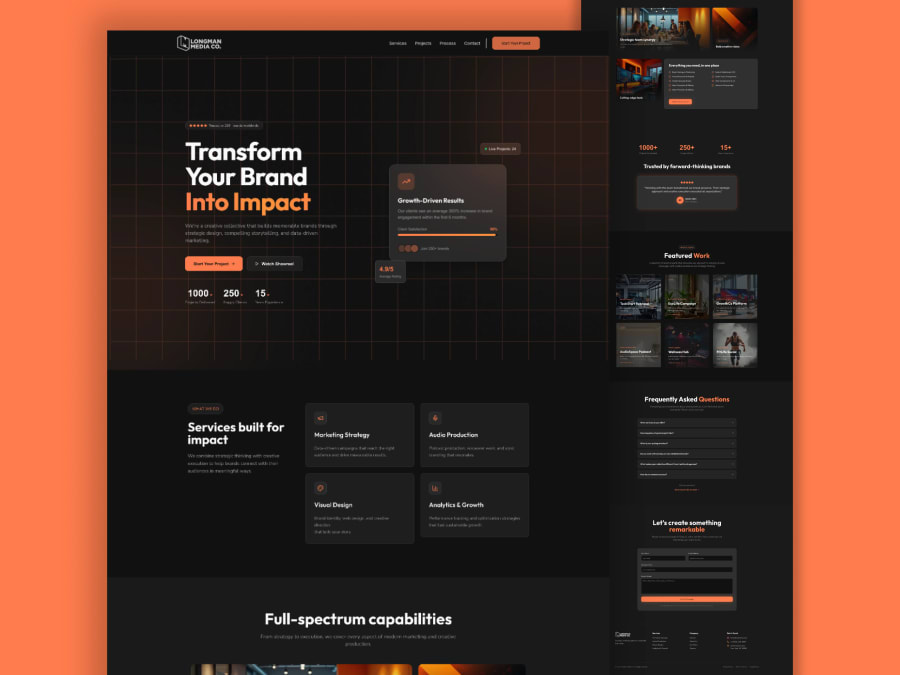
A black and charcoal layout with an orange accent. It includes a grid-pattern hero with a floating results card and stats, a four-card services block, a capabilities gallery, featured work, a client testimonial, an FAQ, a contact form and a footer. Best for: creative studios, marketing and production agencies that want a confident dark homepage.
View the dark media agency template
3. Clove beauty and hair salon landing page
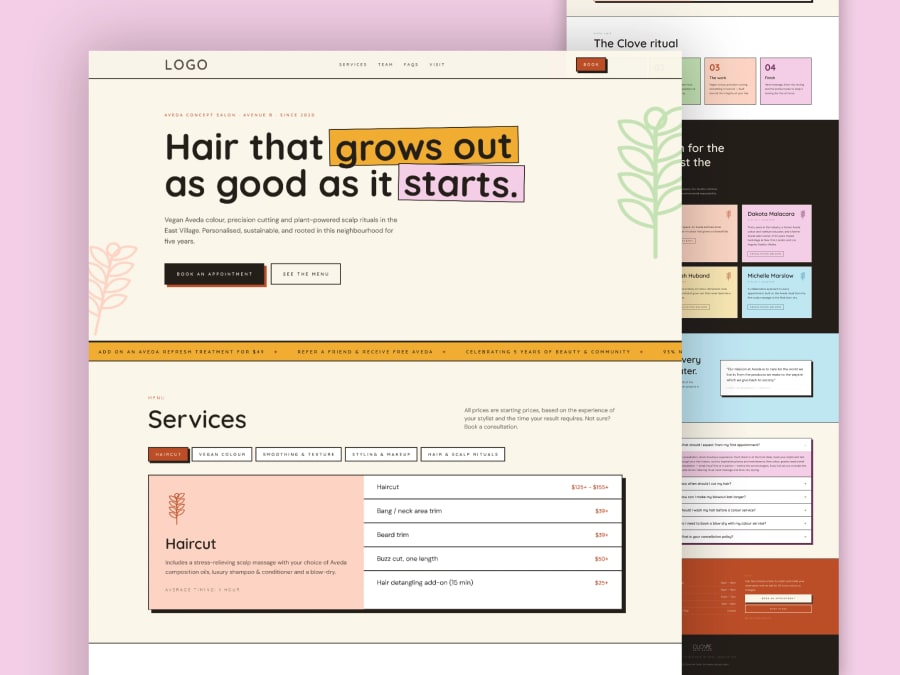
A playful, colorful salon page on a cream background, with highlighted-word headlines, a promo ticker, a tabbed price menu, a process section, team cards, a testimonial, an FAQ accordion, a contact block and a dark footer. Best for: hair salons, scalp-care studios and other appointment-based beauty businesses.
4. Luxury dark salon website
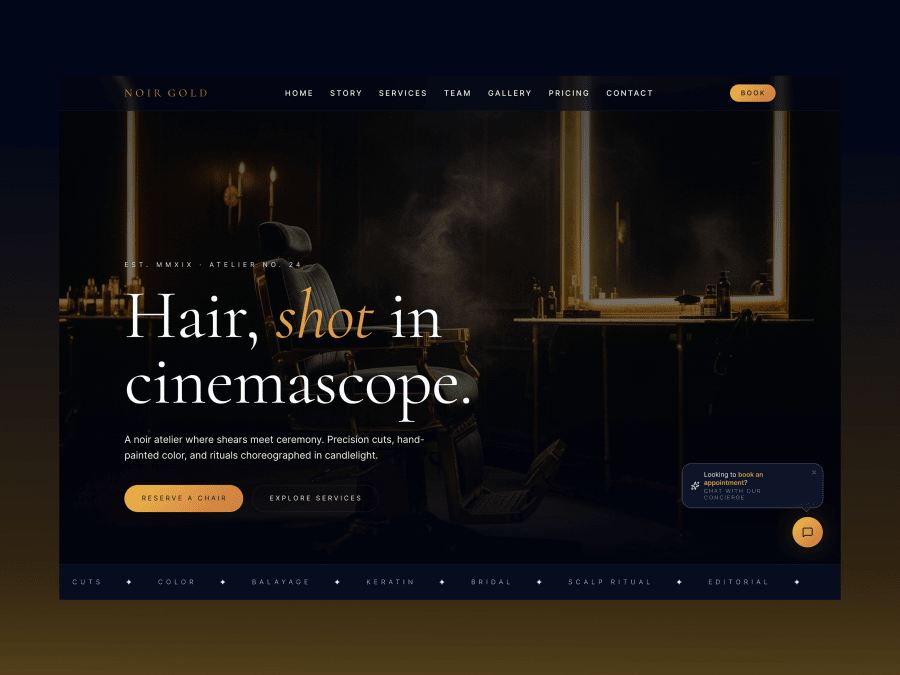
A cinematic navy-black hero over a candle-lit barber-chair photo, with a gold italic headline, "Reserve a Chair" and "Explore Services" buttons, a service ticker and a concierge chat bubble. Best for: high-end salons, barbers and atelier-style beauty brands.
View the luxury dark salon template
5. Fintech neobank landing page
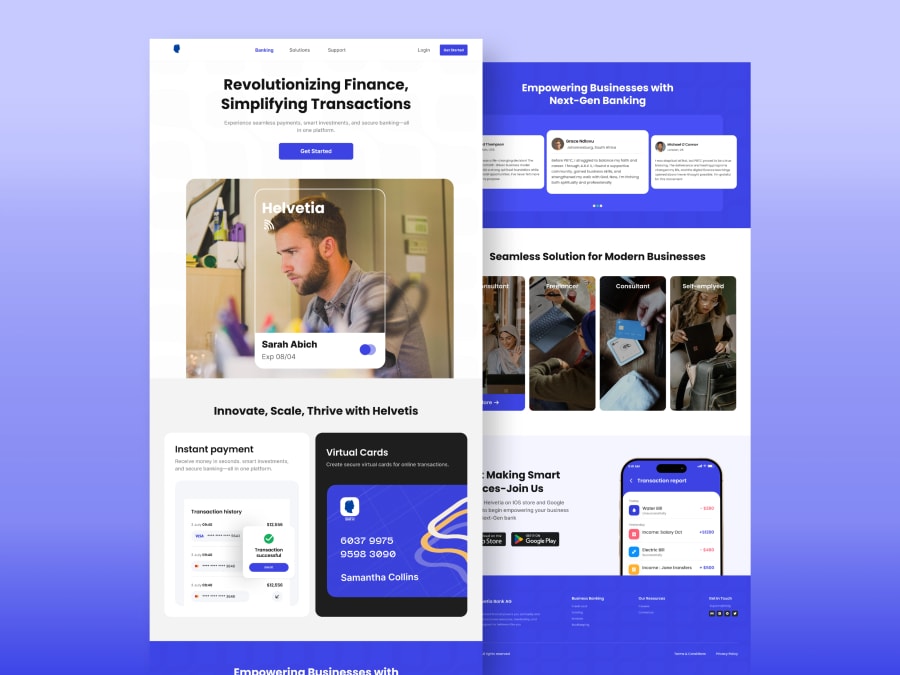
A white and indigo page with a centred hero, a photo with a virtual bank card, instant-payment and virtual-card feature tiles, a testimonial carousel, audience cards for freelancers and consultants, an app-download block and a footer. Best for: neobanks, payment apps and fintech startups. A related layout is the business banking website template.
View the fintech landing page template
6. Healthcare website
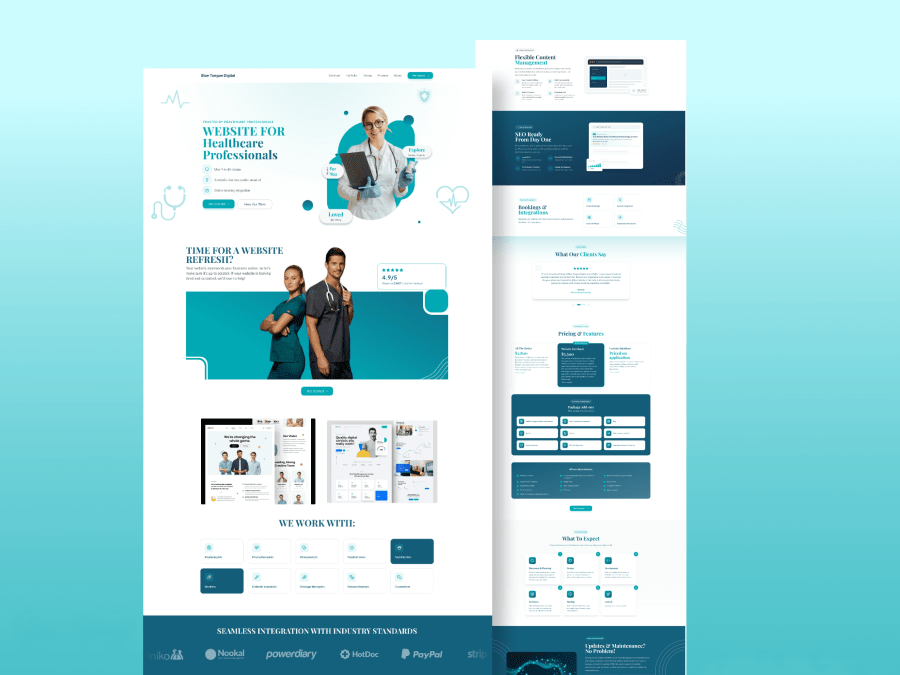
A teal and white full-page layout for clinics and medical practices: a hero with a doctor image and key points, a website-refresh section, partner logos, content-management, SEO and booking feature blocks, testimonials, a three-tier pricing block and a what-to-expect process. Best for: healthcare web designers and agencies that build sites for practitioners.
View the healthcare website template
7. Minimal agency landing page
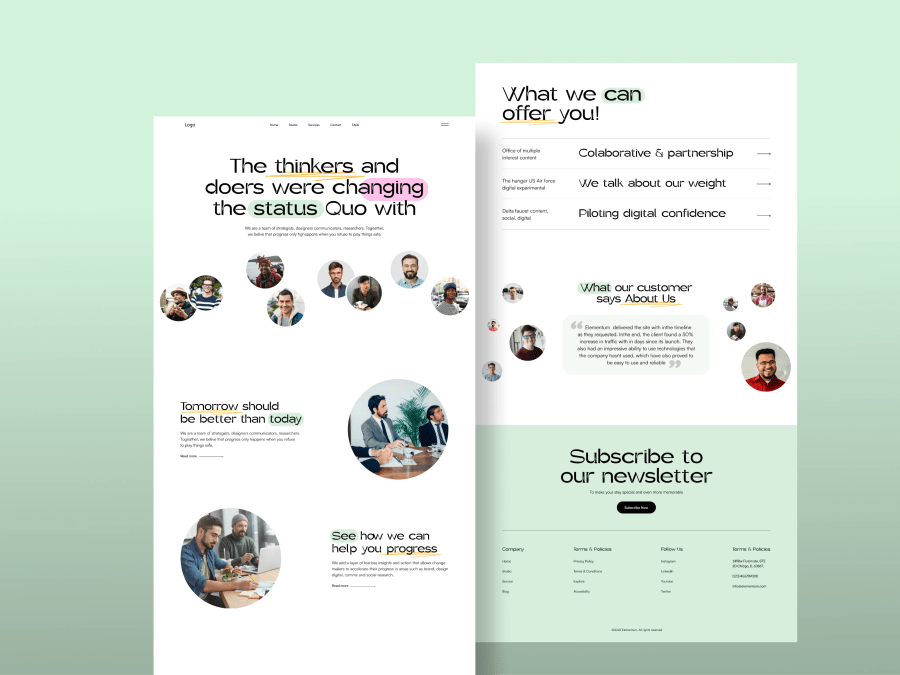
A soft green layout with hand-drawn highlights on the headlines, circular team and photo portraits, a services list with arrows, a testimonial with floating avatars, a newsletter block and a four-column footer. Best for: small agencies, consultancies and creative collectives with a friendly tone.
View the minimal agency template
8. Beauty salon landing page (editorial style)
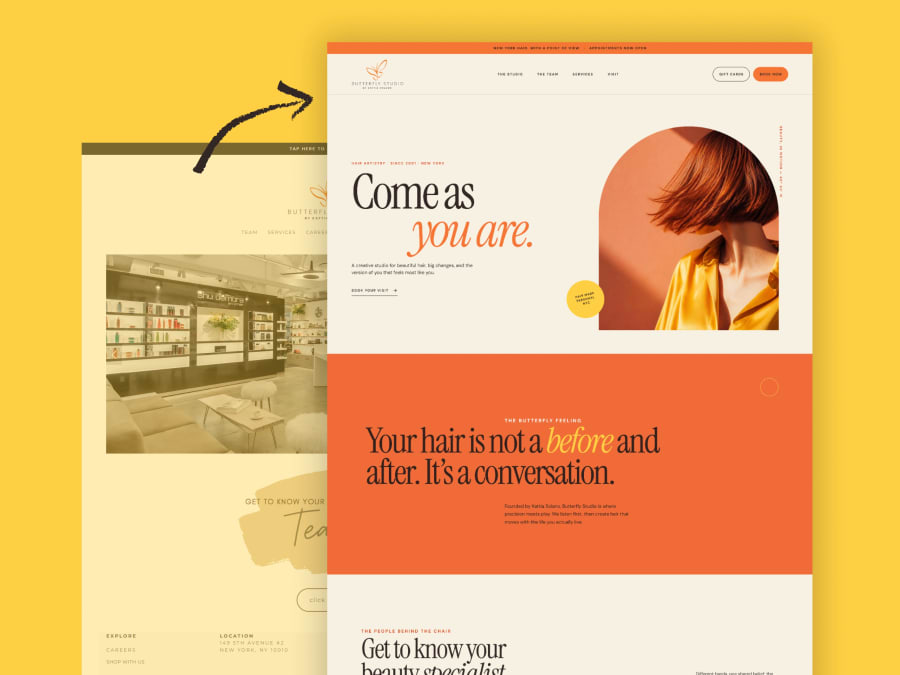
A warm cream, orange and yellow layout with an arch-framed hero photo, an announcement bar, an editorial serif headline with an italic accent, a bold orange story section and a meet-the-team block. Best for: hair studios and boutique beauty brands that want an editorial feel.
View the editorial beauty salon template
Want to see more? Browse every free Figma landing page template in the library, or filter by agency, salon or fintech layouts.
Check the license before you use any free template
Free does not always mean free for every use. Free Figma files come from many places, including designers who share through the Figma Community, and their license terms can differ from file to file. Before using any template in client or commercial work, read the license on its page. For FigmaTemplify templates, our Terms of Service explain how they may be used, and you can ask through the contact page if your case is unclear. Keep a note of where each template came from so you can show it later.
How to customize a landing page template quickly
- Write your headline first. A good hero headline says who the page is for and what they get, in one short line.
- Replace placeholder text and images. Keep copy short; templates look balanced because their text lengths are controlled.
- Change the colors once. Update the main brand color and the accent so buttons and highlights match your brand.
- Use real proof. Replace sample testimonials and numbers with your own real ones, or remove the section until you have them.
- Check the mobile view. Many visitors arrive on a phone, so confirm that headlines, buttons and forms still fit.
FAQ
Are these Figma landing page templates really free?
Yes. Each template has a free .fig download and a Figma preview link, and you do not need an account on FigmaTemplify to download.
Can I use them for client projects?
Usage rules are in our Terms of Service. If you are unsure about a particular use, ask through the contact page before you start.
Do I need Figma experience?
Basic Figma skills are enough: selecting frames, editing text and swapping images. Our guide on opening and importing a .fig file covers the first steps.
What sections should every landing page have?
At minimum: a clear hero with one main button, a short explanation of the offer, proof such as testimonials, answers to common questions and a closing call to action.
Can I request a template or a custom design?
Yes. Suggest a template through the contact page, or see the design plans for custom landing page and UI/UX work.