
Can You Use Free Figma Templates for Client Work?
Short answer: often yes, but it depends on the license of the specific file. Before you use any free Figma template for a client, read its license, check whether you must credit the creator, make sure you are not reselling the template itself, and check the fonts, images and icons inside it. For FigmaTemplify templates, our Terms of Service allow client projects.
Last updated: October 16, 2026. This is general information, not legal advice.
In this guide
- "Free" does not always mean the same thing
- Free files from the Figma Community
- What FigmaTemplify templates allow
- A checklist before you use a template
- Fonts, images and icons inside templates
- Delivering the work to your client
- FAQ
"Free" does not always mean the same thing
A template can be free to download and still come with rules. Some creators allow any use, including client work. Some ask you to credit them. Some allow you to use the design in a project but not to share or sell the template itself. These are different things, so the answer to "can I use it for a client?" is always "check the license on that file".
Free files from the Figma Community
According to Figma's help center, free files shared in the Figma Community carry a Creative Commons Attribution 4.0 (CC BY 4.0) license by default, unless the creator chooses different terms. That license allows commercial use but requires you to give credit to the creator. Creators can also set their own terms, so always read the description and license notes on the file. You can read Figma's own explanation here: Figma Community copyright and licensing. Rules can change, so check the current page.
What FigmaTemplify templates allow
The Terms of Service for our free templates say, in short:
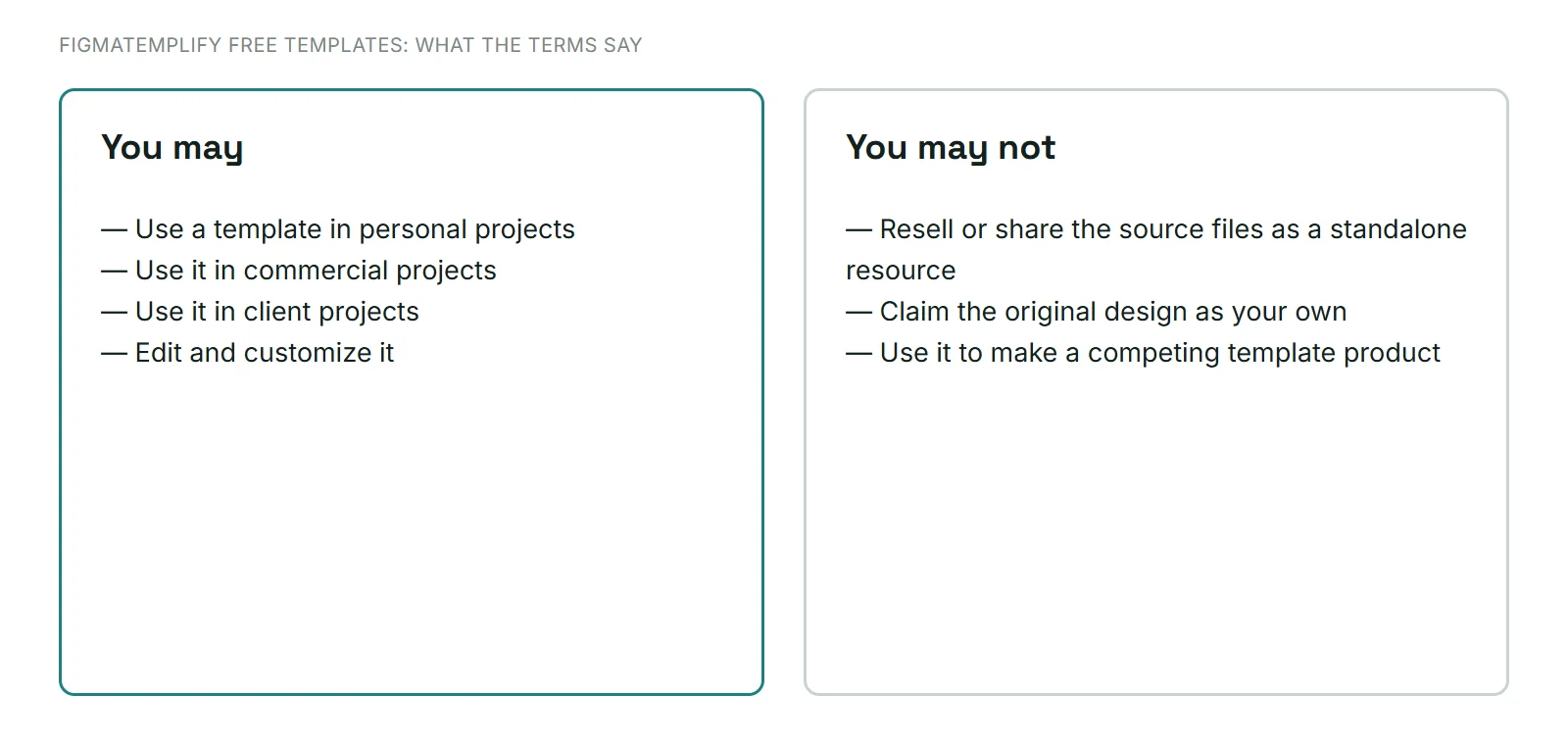
This is a summary. The full wording in the Terms of Service is what applies, and if your situation is unusual, ask first through the contact page.
A checklist before you use a template
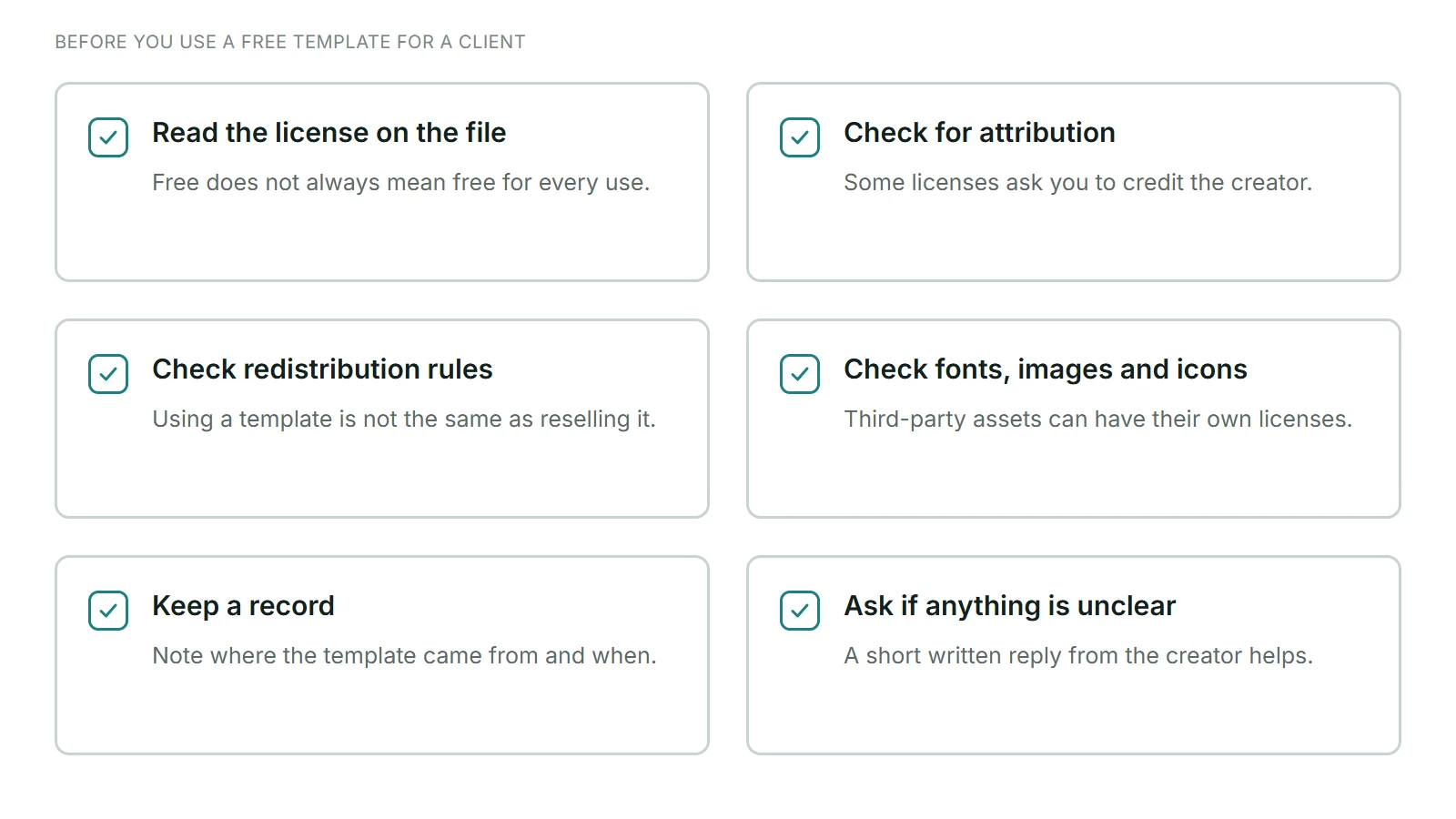
- Read the license. Find it on the template's page or in the file description. If there is none, do not assume everything is allowed.
- Check for attribution. If the license asks for credit, add it where it fits, for example in your project notes or a credits page.
- Check redistribution. Using a template to build a client's design is different from handing over the raw template file or selling it as a template.
- Check third-party assets. Fonts, photos, icons, plugins and logos can have their own licenses.
- Keep a record. Save the page address, the date and the license text so you can show where the template came from.
- Ask if you are unsure. A short written reply from the creator is better than guessing.
Fonts, images and icons inside templates
The design and the things inside it can be licensed separately:
- Fonts: fonts from Google Fonts are published under open licenses, but other fonts may need a license for commercial use. Check the font's source.
- Images: sample photos in a template may be placeholders. Replace them with images you have the rights to use, and keep proof of those rights.
- Icons and illustrations: some come from icon libraries with their own terms.
- Brand names and logos: do not use another company's logo in a client design unless you are allowed to.
Our Terms of Service also remind you that templates may use third-party fonts, images or icons with their own licenses, so check these before using a template in a project.
Delivering the work to your client
- Customize the template properly with the client's brand, content and images. See our steps to customize a Figma template.
- Deliver your finished design, not the original template as a standalone download.
- Do not present the original design as your own invention. Presenting your adapted version as your work for the client is normal; claiming the original template's design as entirely your creation is not.
- Tell the client where needed. If a license asks for credit, include it in the handover notes.
New to .fig files? Read how to open and import a .fig file, then browse the free template library.
FAQ
Can I use free Figma templates for commercial projects?
Often yes, but it depends on the license of each file. Read the license, and check attribution and redistribution rules.
Do I have to credit the creator?
Only if the license says so. Figma's default license for free Community files (CC BY 4.0) requires credit, so credit when in doubt.
Can I use FigmaTemplify templates for client work?
Yes. The Terms of Service allow personal and commercial projects, including client projects. You cannot resell or share the source files as a standalone resource.
Can I sell a template I edited?
Not a FigmaTemplify template. The Terms do not allow reselling or redistributing the source files, in original or modified form, as a standalone design resource.
What if a template has no license?
Do not assume it is free for any use. Ask the creator or choose a template with a clear license.
Who do I ask if I am not sure?
For FigmaTemplify templates, send a message through the contact page and include the template name and how you plan to use it.